Make a plan that fits.
Create and edit tasks across Family & Fun, Earn, Learn, and Return. Keep the things you care about in view.
 Life Compass
A simple daily planner for iPhone and iPad. Choose what matters, take the next step, and make a little space to reflect.
One day. A whole life to make room for.
Your focus. Your tasks. Your daily reflection.
No account required. Your plans stay on your device.
Start with one thing that matters. Add a few next steps. At the end of the day, keep a note about what went well.
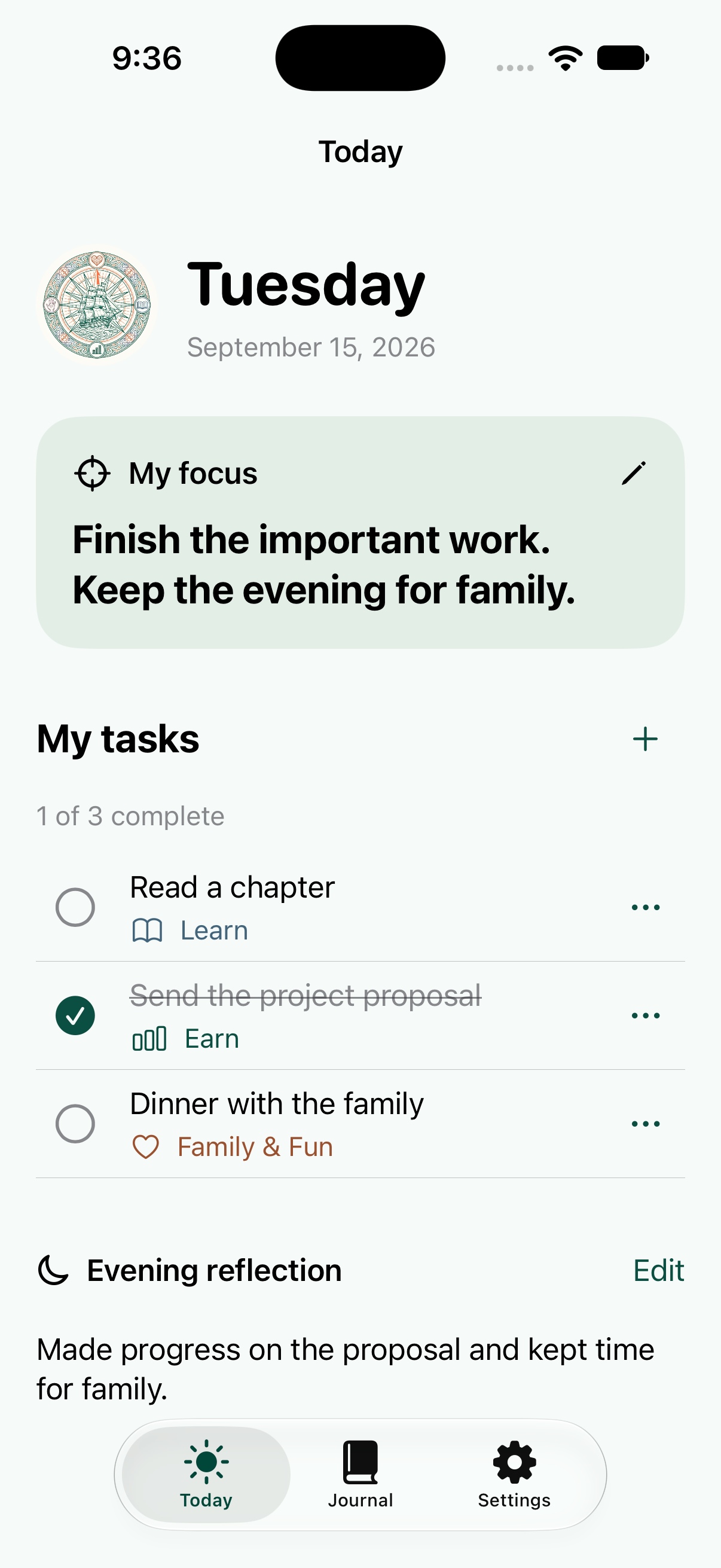
The iPhone app, shown with example plans.
A few thoughtful tools for the day in front of you.
Create and edit tasks across Family & Fun, Earn, Learn, and Return. Keep the things you care about in view.
Revisit saved days and reflections in your journal. Use the calendar to look back or plan ahead.
Use your planner offline. Export a copy of your plans, or delete a task, a day, or everything from Settings.
Have another question?
We’re here to help.
Yes. Daily focus notes, tasks, reflections, and journal history work offline. Opening support links or sending an email uses your internet connection.
No. Open the app and start planning. There is no email signup or waitlist inside the app.
No. Each device keeps its own plans. Your device’s backup settings may include app data. You can export a JSON copy from Settings.
Life Compass is free on the App Store for iPhone and iPad.
A simple offline planner for iPhone and iPad.